
Draw Pixel Art Unblocked — Play Free Online
More Puzzle & Brain games





Draw Pixel Art unblocked: play Draw Pixel Art online free right here in your browser — no download, no sign-up, works on a school Chromebook.
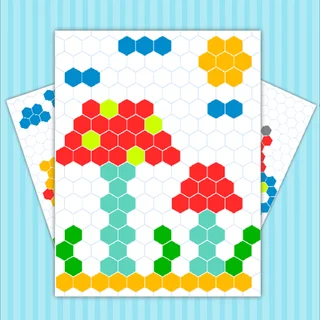
Draw Pixel Art is a relaxing grid-based puzzle and coloring game that invites players to build vibrant pixel illustrations square by square. Instead of demanding lightning-fast reflexes or intense competition, it provides a calm, tactile experience centered on methodical placement and creative satisfaction.
For visitors exploring Idle Dice, Draw Pixel Art offers a welcome change of pace between long sessions of incremental optimization and tycoon management. Filling out a canvas tile by tile mirrors the satisfying feeling of watching automated numbers grow, turning patient attention into colorful, completed retro artwork.
Whether following guided color templates or experimenting with freeform designs, the game rewards steady focus. Watching a blank mosaic slowly transform into recognizable characters, animals, and objects provides instant visual reward with every filled row.
How to play
Mastering the interface takes only seconds on any desktop or mobile device:
- Pick a color: Select an active shade from the palette displayed along the screen boundary.
- Fill squares: Click or tap a specific grid tile to place your active color into that pixel slot.
- Continuous painting: Hold down the mouse button or drag your finger across consecutive squares to paint unbroken lines.
- Correct mistakes: Switch back to the background color or pick an eraser tool to clean up misplaced tiles.
- Finish the canvas: Match all required colors on template challenges to complete each illustrated stage.
Helpful tips for clean designs
- Establish the silhouette first: Laying down darker outline borders makes it easier to fill inner regions accurately without overshooting boundaries.
- Work by color groups: Completing one full shade across the entire canvas before switching to the next palette slot keeps your workflow organized and fast.
- Step back to review: Pixel illustrations read differently when viewed as a whole. Take a quick visual break to check overall balance and proportions.
- Keep palettes minimal: Limiting your piece to three or four harmonious colors yields cleaner, more authentic retro sprites.
Similar games on Idle Dice
Players who enjoy steady, satisfying loops will find plenty of great companions across the site. Check out Idle Breakout for an engaging mix of brick-demolishing physics and continuous progression, or try Idle Gold Miner and Idle Lumber Inc for rewarding resource extraction. If you appreciate instant tapping feedback, Kiwi Clicker and Cat Clicker RE deliver bright, cheerful sessions.
Play anywhere in your browser
Draw Pixel Art is built with lightweight web technology, allowing it to load instantly on desktop monitors, laptops, Chromebooks, and mobile phones. With no extra software or plugins required, you can jump in for a quick five-minute creative break or spend an entire afternoon perfecting detailed pixel designs.
Questions about Draw Pixel Art
Is Draw Pixel Art unblocked at school?
Draw Pixel Art runs in an ordinary browser tab from idledice.org, with nothing to download or install, so it plays on most school Chromebooks and work computers. If a network filter blocks the site, only that network's administrator can change it.
What devices can play Draw Pixel Art?
Draw Pixel Art runs in any standard web browser on desktop PCs, laptops, Chromebooks, tablets, and smartphones without needing any downloads or plugins.
How do you control Draw Pixel Art on touchscreens?
On mobile devices and tablets, simply tap color swatches with your finger and tap or drag across grid tiles to fill them accurately.
Does Draw Pixel Art cost anything to play?
No, Draw Pixel Art is completely free to play directly in your web browser with all coloring tools and levels unlocked from the start.
More games
 Little Alchemy 2
 Cookie Clicker
 Merge Penguins
 Jelly Fruit Merge
 Watermelon Drop
 Stickers Merge
 My Perfect Hotel
 Chicky Farm
 Barbershop Inc
 Game of Farmers
 My Super Tiny Market
 Spades
 World's Hardest Game
 Spider Solitaire
 Solitaire
 Bloxorz
 Master Chess
 Slope Tunnel
 OvO 2
OvO 2 Doodle Jump
 Tunnel Rush
 Basket Random
 Basketball Legends
 Highway Traffic
 Elastic Face
 Rolling Jump
 Perfect Landing Plane Pilot